Your hybrid solar system is running. NEPA is off. The battery is discharging. Solar is producing. Everything looks fine from the outside.
But is the battery SOC reading from the BMS or from a voltage estimate? Is the MPPT tracking efficiently or has it clipped since 11am? Did the system switch to grid last night at 3am without you knowing? Is the battery cycling deeper than it should be?
You cannot answer any of those questions by looking at the inverter display in the plant room. You can answer all of them from your phone, from anywhere in the world, if your monitoring is set up correctly.
Remote monitoring is not a luxury feature for advanced users. It is the difference between managing your N3 million to N12 million system intelligently and discovering a problem only after the battery has lost 30% of its capacity.
This guide covers how remote monitoring works, what each major platform available in the Nigerian market does, how to set it up, which alerts to configure, and what data to actually watch. Every major hybrid inverter brand used in Nigeria has a monitoring platform. Most Nigerian system owners never configure it.
What Remote Monitoring Actually Does
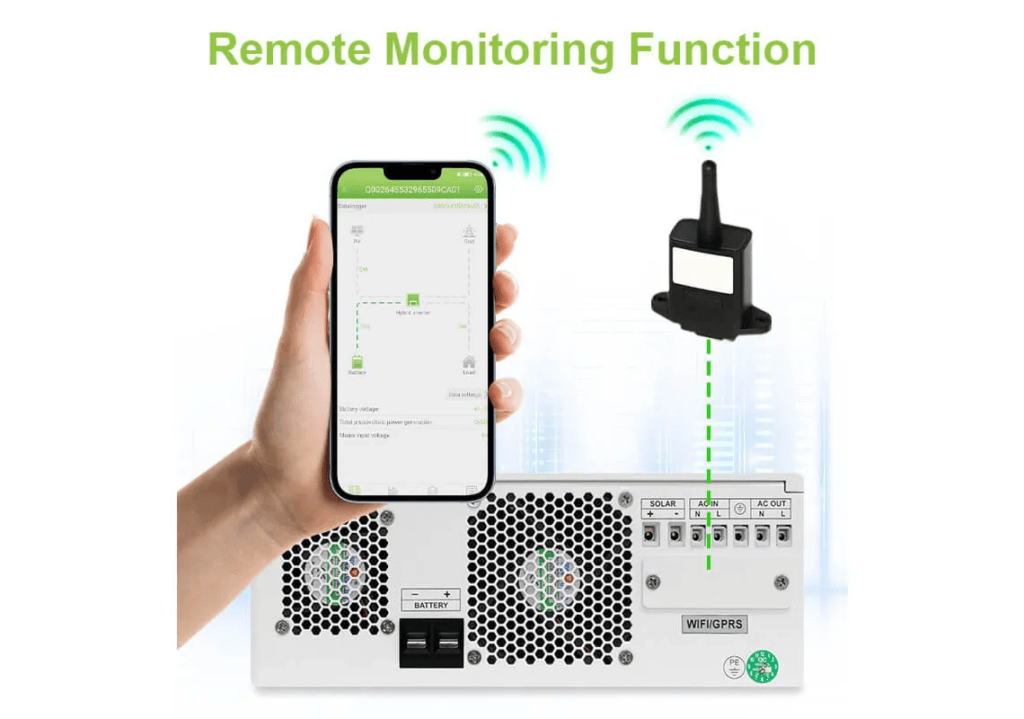
Remote monitoring gives you a live and historical view of everything happening in your hybrid solar system: solar generation, battery SOC and charge current, grid import and export, load consumption, inverter operating mode, fault codes, and environmental data.
The data flows from your inverter through a hardware device (a WiFi dongle, a Ethernet-connected GX device, or a GSM module) to a cloud server. The cloud server stores the data and makes it available through a web portal and a mobile app.
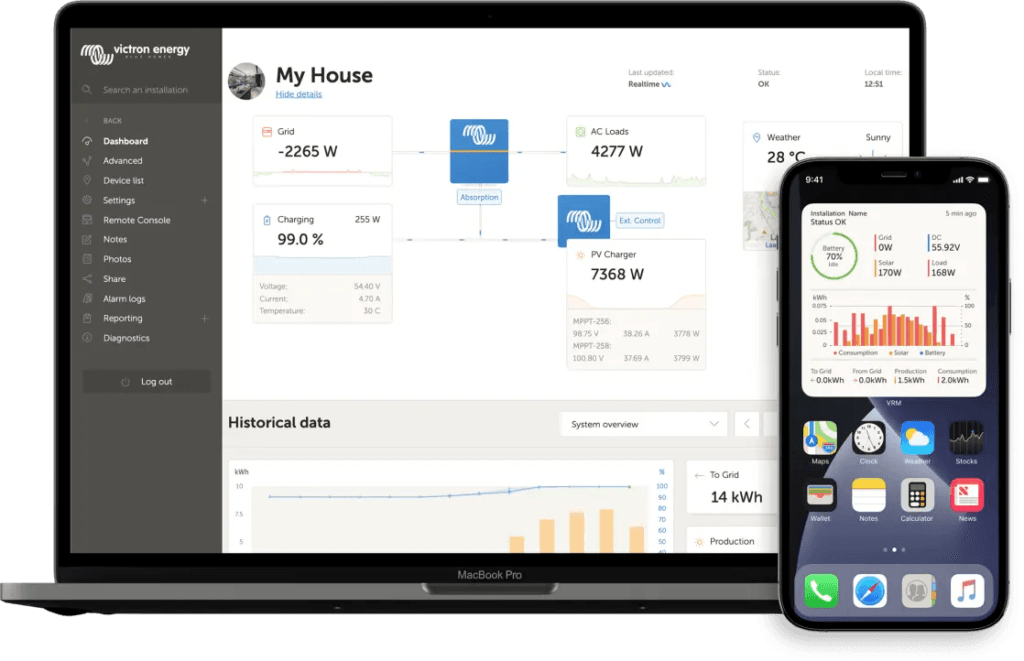
With VRM (Victron Remote Monitoring) you can remotely monitor, control, manage and optimise your Victron Energy systems and identify potential problems early by setting alerts and alarms.
Most monitoring platforms offer four core functions:
Real-time dashboard:
Live view of all energy flows. Solar production in watts, battery SOC in percent, grid status, load consumption in watts. Updated every few seconds.
Historical data and charts:
Daily, weekly, monthly, and annual charts of solar yield, battery cycling, grid import, and load consumption. This is where you see trends and catch slow-developing problems.
Alerts and alarms:
Notifications pushed to your phone when specific conditions are met: battery SOC below a threshold, inverter fault code triggered, grid failure detected, solar production below expected levels.
Remote control:
On some platforms, you can change inverter settings, adjust priority modes, and update firmware without physically accessing the inverter.
For a Nigerian hybrid system owner, the most valuable function is the alert system. You cannot watch a dashboard all day. But you can configure the system to notify you the moment something goes wrong.
In a country with stable 24-hour grid supply, a hybrid system runs predictably. Solar charges during the day, grid tops up at night. Monitoring is useful but not critical.
In Nigeria, the system is responding to a different set of conditions every day: variable NEPA supply hours, wet season cloud cover reducing solar yield, generator integration events, harmattan dust reducing panel efficiency, and plant room temperatures affecting inverter output. A system that ran perfectly in January may be showing stress in July.
Without monitoring, you discover this stress when the battery capacity has already degraded, when the inverter has already been tripping, or when a fault code that appeared six weeks ago finally causes a component failure.
With monitoring, you see the problem the day it starts.
Specific scenarios where remote monitoring catches problems early:
Battery SOC never reaching 100% during wet season. The chart shows the battery peaking at 85% SOC for three weeks. The array is undersized for wet season PSH. You add two panels before the battery enters chronic partial state of charge.
Inverter overloading at 2pm daily. The alert fires at 14:07 every day. The inverter is hitting its temperature-derated output limit exactly when the afternoon load peaks. You improve plant room ventilation before the inverter’s capacitors are stressed.
BMS communication loss. The battery SOC graph switches from real-time BMS data to smooth voltage-estimated values on a specific date. The BMS cable has worked loose. You catch it before six weeks of blind battery management degrade the cells.
Grid failure at 3am. The alert fires. The system entered island mode and the battery depleted to 22% SOC by 6am. You adjust the grid charge window to charge the battery between midnight and 5am before this pattern repeats.
These are not edge cases. They are the regular operational events of a Nigerian hybrid system. Monitoring converts them from invisible threats into manageable data points.
Victron VRM (Victron Remote Monitoring) is the most feature-rich monitoring platform available for residential hybrid solar systems. Victron’s VRM portal provides extensive data and control from anywhere. It requires a GX device (Cerbo GX or Ekrano GX) connected to your Victron system via VE.Bus and VE.Can or VE.Direct. Prasun Barua
Hardware Required
The Cerbo GX is the standard GX device for Nigerian residential Victron installations. It costs N180,000 to N280,000 and connects to:
Victron Multiplus-II via VE.Bus cable
Victron SmartSolar MPPT via VE.Direct or VE.Can
LiFePO4 battery BMS via VE.Can or DVCC
Internet via Ethernet cable or WiFi
The Cerbo GX uploads data to the VRM portal every 15 seconds when connected to the internet. It also stores data locally so no data is lost during internet outages, uploading the backlog when connectivity is restored.
For smaller systems, the GlobalLink 520 provides basic VRM connectivity without the full GX device. It works via cellular (GSM) rather than WiFi, which is useful in Nigerian locations where home WiFi is unreliable.
What VRM Shows You
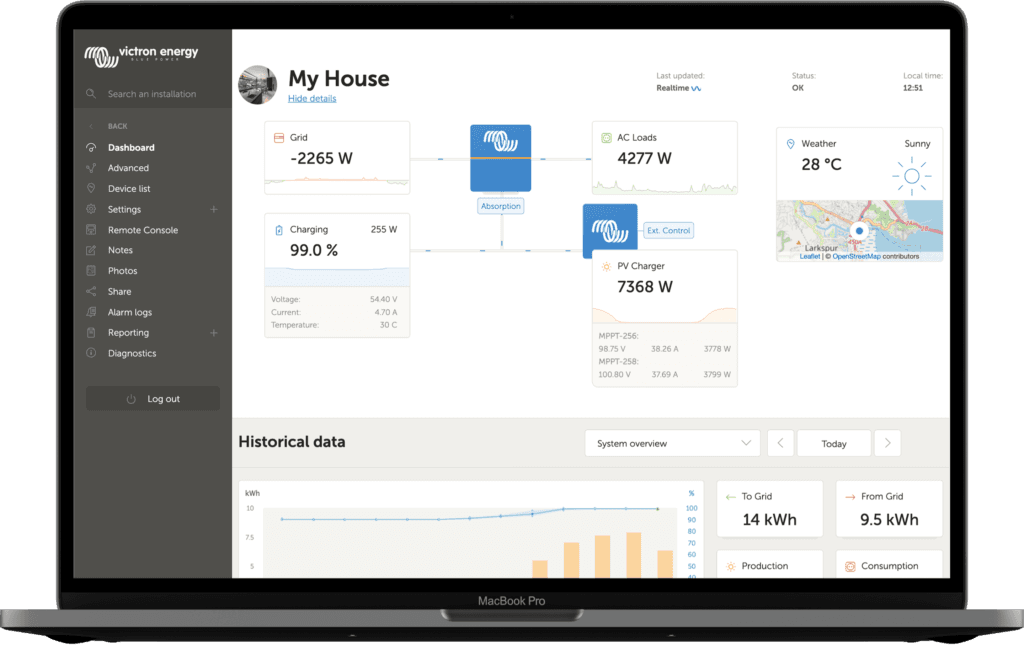
The dashboard is the main page. It shows all information about the installation in a schematic visualisation including historical data at a glance.
The VRM dashboard displays a live system diagram showing real-time power flows between solar, battery, grid, and loads in watts. Below the diagram, historical charts show:
Solar yield (kWh per day, kWh per month)
Battery SOC over time (hourly, daily)
Grid import and export (kWh)
Load consumption (kWh per day)
Inverter operating mode history (grid-connected, island mode, charging)
Battery minimum and maximum SOC per day
The Advanced tab shows parameter-level data: individual battery cell voltages (if your BMS supports it), MPPT tracking efficiency, inverter temperature, and ESS reason codes showing exactly why the system made each operating decision.
Remote Control Through VRM
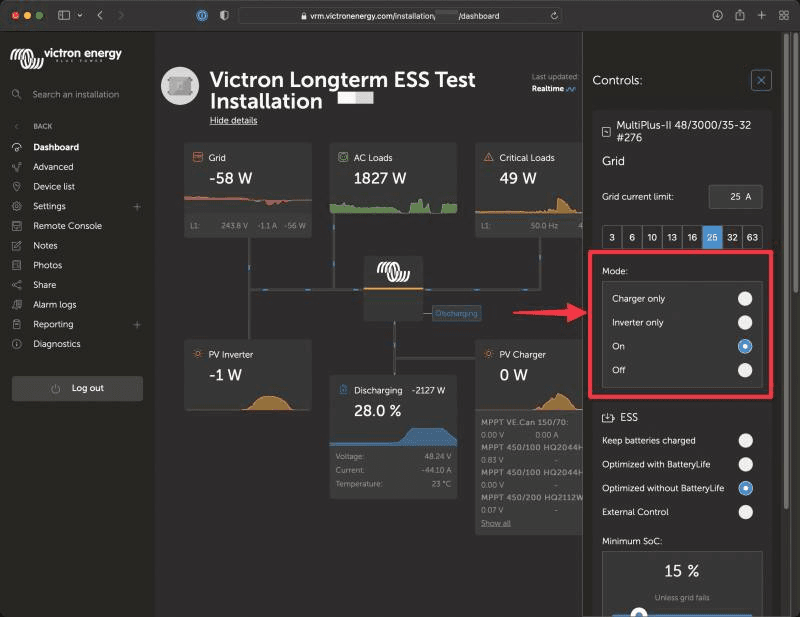
VRM offers control over some of your Victron devices directly from the VRM dashboard. This feature allows you to quickly adjust ESS settings, control the inverter or inverter/charger and relays, start/stop the generator, and control your EV Charging Station, without needing to open the remote console.
This means you can change your ESS minimum SOC, switch priority mode, and trigger a generator start from your phone. For a Nigerian system owner who travels, this is a material capability. Your system develops an issue at midnight. You log into VRM from your hotel room, read the ESS reason code, adjust the minimum SOC setting, and resolve the issue without calling your installer.
VRM Alerts to Configure for Nigerian Conditions
Navigate to: VRM Portal > Site > Alarm Settings
Configure these alerts:
Alert
Threshold
Why
Battery SOC low
Below 25%
Early warning before deep discharge
Battery SOC not reaching 100%
Below 95% by end of day for 3 consecutive days
Signals undersized array or degraded battery
Grid failure
Any grid disconnect event
Know when NEPA fails, track outage frequency
Inverter overtemperature
Above 70°C
Plant room ventilation issue
MPPT input high voltage
Within 10% of MPPT Vmax
String voltage too high, potential MPPT damage
BMS communication lost
Any BMS comms dropout
Critical: inverter managing battery blind
Solar Yield Forecast
See your estimated future solar yield. This feature combines an AI model of your sites solar production potential with irradiance forecasting data from a global fleet of weather satellites.
For Nigerian system owners heading into the wet season, this forecast shows expected production drops days in advance. You can pre-configure a grid charge window before a week of cloud cover depletes your battery below optimal cycling range.
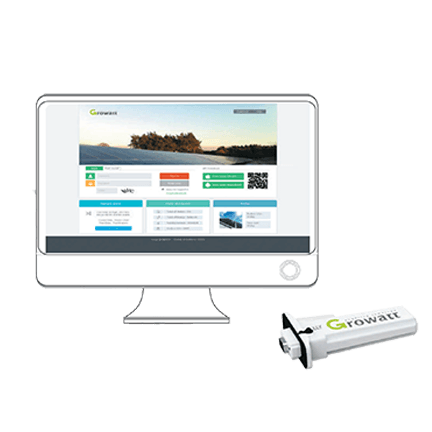
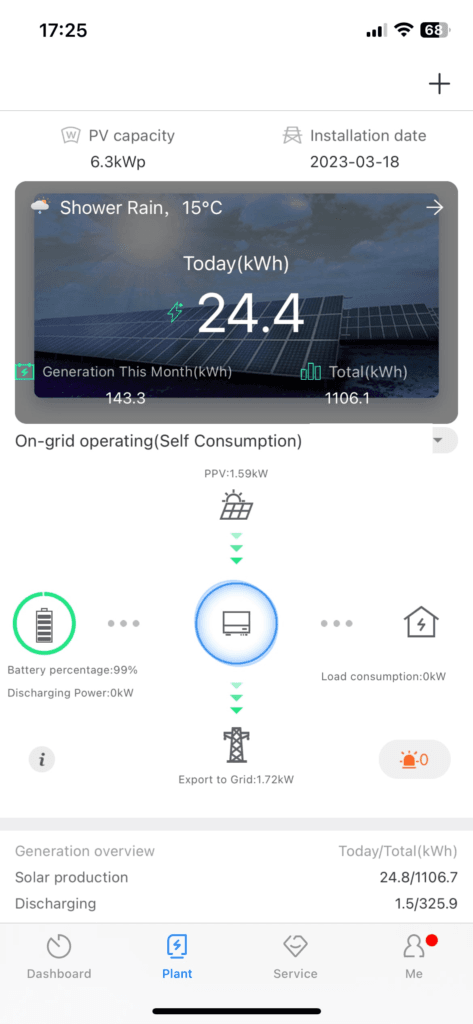
Growatt is the most widely deployed hybrid inverter brand in Nigeria. Their monitoring platform is called ShineServer (web portal) and ShinePhone (mobile app). If your installer gave you a Growatt WiFi Stick, this app is plug-and-play. eneronix
Hardware Required
The Growatt WiFi Stick (ShineWiFi-X or ShineWiFi-S) plugs into the monitoring port on the back of the Growatt SPH inverter. It costs approximately N8,000 to N15,000 and connects to your home WiFi network. Once connected, data uploads to ShineServer automatically.
For sites without reliable WiFi, the ShineGSM dongle connects via cellular. It costs more (approximately N25,000 to N40,000) but works independently of home internet.
No additional hardware beyond the dongle is required. The WiFi Stick is sometimes included with new Growatt inverters from authorised distributors in Nigeria. Verify at purchase.
The ShinePhone app mirrors the web portal and adds push notification capability for fault alerts.
The limitation compared to VRM: ShineServer shows system-level data but less parameter-level depth. You can see that the battery is at 60% SOC but you cannot see individual cell voltages unless your battery BMS supports the Growatt BMS communication protocol and has been correctly configured.
ShineServer Alerts to Configure
In ShineServer: Settings > Alarm Settings
Priority alerts for Nigerian conditions:
Battery low voltage alarm: Set to 46.5V (corresponds to approximately 20 to 25% SOC for LiFePO4). This triggers before the discharge cut-off.
Inverter fault alarm: Enable all fault code notifications. A fault code at 2am that you see at 6am is still actionable. A fault code you discover two weeks later after the component has failed is not.
Grid loss notification: Useful for tracking NEPA supply patterns in your location. If you log grid failures for 30 days, you can see the pattern and optimise your TOU charging window accordingly.
Remote Settings Change
Growatt ShineServer supports remote parameter changes on the SPH series through the ShinePhone app under Settings > Parameters. You can change output priority (SBU/SUB/UTI), battery charge current limit, and grid charge enable/disable remotely.
This is less comprehensive than Victron’s remote console but covers the settings most commonly adjusted in the field. For how to configure these settings correctly for Nigerian conditions, read our article on how to configure TOU scheduling on a hybrid inverter.
Deye SolarmanPro
Deye hybrid inverters use the SolarmanPro platform (also called Solarman Smart or SOLARMAN Business depending on account type). The platform is built by SOLARMAN (IGEN Tech), a dedicated solar monitoring company. SOLARMAN company has developed a complete intelligent PV monitoring solution including hardware, software and data analysis to offer smart energy management system for global customers.
Hardware Required
Deye hybrid inverters include a WiFi logger stick (LSW-3 or similar) in the box. This plugs into the monitoring port on the inverter and connects to home WiFi. No additional purchase is required for WiFi-based monitoring.
For cellular connectivity without WiFi, a 4G logger is available at approximately N20,000 to N35,000.
The SolarmanPro app is available on Android and iOS. The web portal at home.solarmanpv.com provides full desktop access.
What SolarmanPro Shows You
SolarmanPro provides a clean, well-designed dashboard showing:
Real-time energy flow diagram (solar, battery, grid, load) updated every 5 minutes
Solar generation history (daily, monthly, total lifetime yield)
Battery SOC trend charts
Grid import and export data
Load consumption history
Inverter status and fault log
Environmental data (CO2 reduction equivalent, equivalent trees planted) for those who want it
The SolarmanPro platform also supports remote parameter setting through the app. For Deye inverters, you can adjust work mode, battery settings, and grid parameters without physical access to the inverter.
SolarmanPro Alerts for Nigerian Conditions
In the SolarmanPro app: Device > Alert Settings
Configure:
Battery SOC below 25%: Early discharge warning
Inverter fault alert: Any fault code triggers immediate notification
No power generation alert: If solar yield is zero during daylight hours, the MPPT may have faulted or the array DC cables may be disconnected
The no-power-generation alert is particularly useful in Nigeria during harmattan. Dust accumulation on panels reduces yield gradually. A sudden drop to zero signals a wiring fault, a blown string fuse, or a tripped DC isolator, not just soiling.
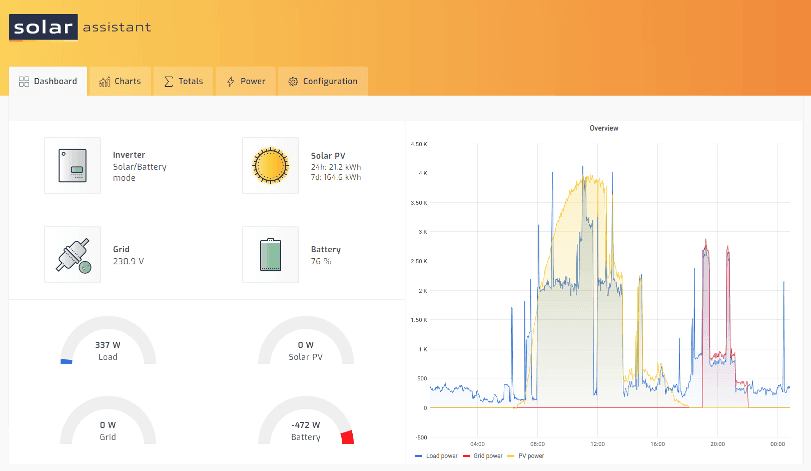
Solar Assistant is a real-time monitoring platform that runs on a Raspberry Pi and supports Deye inverters via Solarman dongle, Growatt inverters, Felicity Solar inverters, and many other brands via RS485 and Modbus protocols. SolarSME
Solar Assistant is not a cloud platform from a manufacturer. It is a third-party monitoring solution that runs locally on a Raspberry Pi single-board computer connected to your inverter via USB-to-RS485 adapter. It provides more detailed real-time data than the manufacturer platforms because it reads raw Modbus registers directly.
For Nigerian system owners who want:
Sub-second update rates (versus 5-minute updates on SolarmanPro)
Individual battery cell voltage monitoring without a Victron GX device
Home automation integration (via MQTT to Home Assistant)
Local data storage that does not depend on internet connectivity
Solar Assistant is the correct choice. The Raspberry Pi costs approximately N25,000 to N45,000 in Nigeria. Solar Assistant software costs approximately $9.99 per month or $99.99 per year. The combined capability exceeds what any manufacturer platform provides at this price point.
For Deye and Growatt installations in Nigeria where the owner wants VRM-level depth without the Victron hardware premium, Solar Assistant is the practical alternative.
Six Parameters to measure and why They Matter Most
Having access to all the data is not the same as knowing what to look at. These are the six parameters that tell you whether your Nigerian hybrid system is performing as designed.
1. Daily Solar Yield vs Expected Yield
Compare actual daily kWh generation against the expected yield for your array size and location. For a 3.5kWp array in Lagos:
Dry season expected: 3.5 x 5.0h x 0.78 = 13.65kWh per day
Wet season expected: 3.5 x 3.5h x 0.78 = 9.56kWh per day
If actual yield drops below 70% of expected on a clear day, the array has a fault: soiling, shading, MC4 connector degradation, or string fuse issue. Our solar array sizing guide has the full expected yield calculation methodology.
2. Battery Minimum Daily SOC
The lowest SOC the battery reaches each day. For a correctly sized Nigerian hybrid system on essential loads, this should be 20 to 35% SOC each morning before solar recharge begins. If it is consistently below 20%, the battery autonomy is insufficient for the current load profile or the overnight essential load has increased. Read our article on the 80/20 rule for lithium batteries for why 20% is the critical floor.
3. Battery Maximum Daily SOC
The highest SOC the battery reaches each day. For a correctly designed system, the battery should reach 90 to 100% SOC on most days. If it consistently reaches only 70 to 80% during the wet season, the array is undersized for wet season PSH. Chronic partial state of charge is the leading cause of premature LiFePO4 degradation. For the engineering explanation, read our guide on how to increase lithium battery lifespan.
4. Grid Import Pattern
When does the system import from the grid? How much? A correctly configured Nigerian hybrid system should import from the grid primarily between 10pm and 6am (battery near low threshold, solar absent). If the chart shows consistent grid import during daylight hours (9am to 5pm), either the priority settings are wrong (grid first instead of solar first), the array is underperforming, or the load exceeds the solar plus battery capacity during those hours.
Most monitoring platforms track total charge throughput in kWh. Dividing total lifetime throughput by usable battery capacity (kWh) gives total equivalent full cycles. Compare this against the manufacturer’s cycle life rating. For a 10kWh LiFePO4 battery rated at 4,000 cycles, the battery should be at 80% capacity or above at 4,000 equivalent full cycles. If capacity is dropping faster than expected, the discharge depth, temperature, or charging configuration needs review.
6. Inverter Operating Temperature
The inverter’s internal temperature is available on most monitoring platforms. For a 5kVA inverter in a Nigerian plant room, operating temperature above 55°C consistently indicates inadequate ventilation. Above 65°C, derating becomes significant and component stress accelerates. Adding a ventilation fan to the plant room before the inverter reaches thermal shutdown is much cheaper than an inverter replacement. Our complete hybrid solar system design guide covers plant room ventilation requirements in the Nigeria-specific design section.
Setting Up Remote Monitoring in Nigeria
WiFi Connectivity in Nigerian Plant Rooms
The most common monitoring setup failure in Nigeria is weak WiFi signal in the plant room. Plant rooms are often at the back of the property, below ground level, or in a detached outbuilding. The WiFi signal from the main router does not reliably reach these locations.
Solutions in order of cost:
WiFi range extender: A N5,000 to N15,000 WiFi repeater placed between the router and the plant room. Works in most cases where the distance is under 20 metres.
Powerline adapter: Uses the property’s electrical wiring to extend the network. A N15,000 to N35,000 pair of powerline adapters provides stable Ethernet connectivity to the plant room without new cable runs.
Dedicated WiFi access point: A N20,000 to N50,000 access point in the plant room connected to the router via Ethernet cable. The most reliable solution for difficult locations.
GSM-based monitoring dongle: For locations where home internet is itself unreliable, a GSM-based monitoring module (Growatt ShineGSM, Victron GlobalLink 520, or Deye 4G logger) connects to the mobile network independently of home WiFi. Data charges are minimal (typically under N1,000 per month for monitoring traffic).
Internet Reliability for Monitoring Data
Nigerian residential internet connections frequently drop overnight. Most monitoring platforms handle this correctly by buffering data locally on the WiFi stick or GX device and uploading the backlog when connectivity is restored.
Victron’s Cerbo GX stores up to 48 hours of data locally. The VRM portal shows a continuous data history even if the internet was down for 12 hours overnight.
Growatt’s ShineWiFi-X stores 7 days of data locally. SolarmanPro shows any gaps in the chart during offline periods but fills in the historical data once reconnected.
Monitoring Platform Comparison Table
Feature
Victron VRM
Growatt ShineServer
Deye SolarmanPro
Solar Assistant
Hardware cost
N180,000 to N280,000 (Cerbo GX)
N8,000 to N15,000 (WiFi Stick)
Included with inverter
N25,000 to N45,000 (Raspberry Pi)
Update interval
15 seconds
5 minutes
5 minutes
Under 1 second
Cell-level battery data
Yes (with compatible BMS)
Limited
Limited
Yes (with RS485 BMS)
Remote settings change
Yes (full)
Yes (partial)
Yes (partial)
Yes (full via MQTT)
Firmware update OTA
Yes
Yes
Yes
No
Local data storage
48 hours
7 days
Limited
Unlimited (local SD card)
GSM option
Yes (GlobalLink 520)
Yes (ShineGSM)
Yes (4G logger)
Via separate router
Best for Nigeria
Premium Victron systems
Growatt SPH installs
Deye installs
Any brand, maximum depth
Frequently Asked Questions
How do I monitor my hybrid solar system remotely in Nigeria?
The monitoring platform depends on your inverter brand. For Growatt SPH: purchase the ShineWiFi-X dongle (N8,000 to N15,000), plug it into the inverter’s monitoring port, connect it to your home WiFi, download the ShinePhone app, and register your device. For Deye: the WiFi logger stick is included with most Nigerian market inverters. Connect it to WiFi, download the SolarmanPro app, and register. For Victron: purchase a Cerbo GX (N180,000 to N280,000), connect via VE.Bus and VE.Direct, connect to internet via Ethernet or WiFi, and register on vrm.victronenergy.com.
What is the best solar monitoring app for Nigeria?
For Victron systems, the VRM portal and VRM mobile app are the best available anywhere. For Growatt, ShinePhone provides adequate monitoring for most homeowners. For Deye, SolarmanPro is clean and functional. For any brand where maximum data depth is needed, Solar Assistant running on a Raspberry Pi provides sub-second updates and individual battery cell monitoring at lower ongoing cost than Victron hardware.
Can I monitor my solar system without internet?
Yes, partially. Victron systems can be monitored locally via the Cerbo GX touchscreen or via Bluetooth on a smartphone using the VictronConnect app. Growatt and Deye inverters have local displays that show real-time data without internet. Solar Assistant provides full local monitoring via its web interface on the local network even without internet connectivity. Remote access from outside the home requires internet.
How do I know if my battery BMS communication is working from the monitoring app?
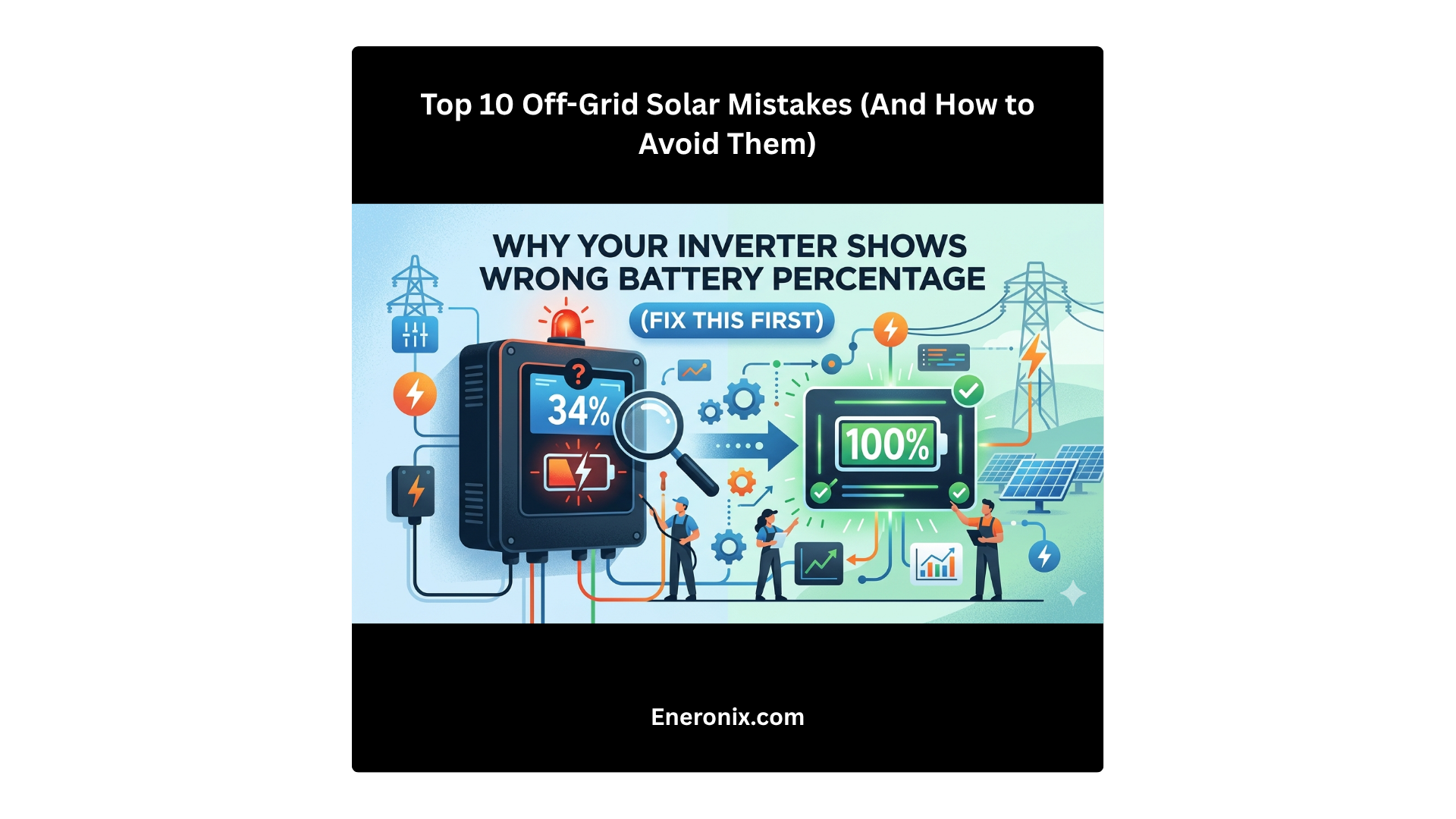
In Victron VRM, navigate to the Advanced tab. If BMS communication is active, you will see individual cell voltages and BMS-reported SOC. If you see only inverter-estimated SOC (smooth percentage changes not correlated with actual load events), BMS communication is not active. In SolarmanPro and ShineServer, BMS communication failure typically appears as the battery SOC reading freezing or showing implausible values. Read our article on why your inverter shows the wrong battery percentage for the full diagnostic process.
What alerts should I set up on my hybrid solar system monitoring?
Four alerts are non-negotiable for Nigerian conditions. First, battery SOC below 25%: early discharge warning before the system hits its cut-off. Second, any inverter fault code: fault codes are the system telling you something is wrong. Third, grid failure notification: tracks NEPA patterns and confirms island mode activated correctly. Fourth, zero solar generation during daylight hours: signals a string fault, blown fuse, or DC isolator trip. Configure all four within the first week of commissioning.
My Growatt or Deye monitoring dongle keeps disconnecting. What do I do?
The most common cause is weak WiFi signal in the plant room. Move a WiFi extender closer to the plant room, or run an Ethernet cable to the plant room and use a dedicated access point. The second common cause is DHCP address conflicts: the dongle keeps getting a new IP address from the router. Set a static IP address for the dongle in your router’s DHCP reservation table. The third cause is router firewall blocking the dongle’s outbound connection to the manufacturer’s cloud server. Verify port 80 and port 443 outbound connections are allowed.
Can I change my inverter settings remotely through the monitoring app?
Yes, for all major platforms. Victron VRM allows full ESS settings changes and inverter control remotely through the VRM portal. Growatt ShinePhone allows output priority, battery charge current, and grid charge changes remotely. Deye SolarmanPro allows work mode, battery settings, and grid threshold changes remotely. Solar Assistant allows full parameter changes via MQTT for any supported inverter. Remote settings changes should be verified by checking the dashboard to confirm the change was applied. For the correct settings for Nigerian conditions, read our article on hybrid inverter priority settings in Nigeria.
Conclusion
Remote monitoring is the management layer that makes a hybrid solar system a managed asset rather than installed hardware you hope is working correctly.
In Nigeria, where the system responds to daily grid failures, seasonal solar variation, temperature extremes, and dust accumulation, monitoring converts invisible operational stresses into visible data you can act on. The battery that would have degraded from chronic partial state of charge during July is caught in week one by the daily minimum SOC chart. The inverter that would have failed from plant room overheating is caught by the temperature alert in March. The BMS communication fault that would have silently damaged the cells for six months is caught by the BMS dropout alert on day one.
Every major hybrid inverter brand available in Nigeria has a monitoring platform. Victron VRM requires a Cerbo GX at additional cost but delivers the most complete data picture available for residential systems. Growatt ShineServer is plug-and-play with a N8,000 to N15,000 dongle and covers everything a standard installation needs. Deye SolarmanPro includes the monitoring hardware in the box for most Nigerian market inverters. Solar Assistant provides maximum depth for any brand at modest hardware cost.
Configure monitoring at commissioning. Set the six critical alerts on day one. Check the daily minimum and maximum SOC charts weekly for the first month. After that, the monitoring system watches the system for you.
For the complete system design framework that monitoring supports, read our complete hybrid solar system design guide. For the commissioning steps that establish the baseline against which monitoring data is compared, the next article in this cluster covers the full hybrid solar system commissioning checklist.
I am Engr. Ubokobong Ekpenyong, a solar specialist and lithium battery systems engineer with over five years of hands-on experience designing, assembling, and commissioning off-grid solar and energy storage systems. My work focuses on lithium battery pack architecture, BMS configuration, and system reliability in off-grid and high-demand environments.
Contains information related to marketing campaigns of the user. These are shared with Google AdWords / Google Ads when the Google Ads and Google Analytics accounts are linked together.
90 days
__utma
ID used to identify users and sessions
2 years after last activity
__utmt
Used to monitor number of Google Analytics server requests
10 minutes
__utmb
Used to distinguish new sessions and visits. This cookie is set when the GA.js javascript library is loaded and there is no existing __utmb cookie. The cookie is updated every time data is sent to the Google Analytics server.
30 minutes after last activity
__utmc
Used only with old Urchin versions of Google Analytics and not with GA.js. Was used to distinguish between new sessions and visits at the end of a session.
End of session (browser)
__utmz
Contains information about the traffic source or campaign that directed user to the website. The cookie is set when the GA.js javascript is loaded and updated when data is sent to the Google Anaytics server
6 months after last activity
__utmv
Contains custom information set by the web developer via the _setCustomVar method in Google Analytics. This cookie is updated every time new data is sent to the Google Analytics server.
2 years after last activity
__utmx
Used to determine whether a user is included in an A / B or Multivariate test.
18 months
_ga
ID used to identify users
2 years
_gali
Used by Google Analytics to determine which links on a page are being clicked
30 seconds
_ga_
ID used to identify users
2 years
_gid
ID used to identify users for 24 hours after last activity
24 hours
_gat
Used to monitor number of Google Analytics server requests when using Google Tag Manager
1 minute
You can find more information in our Cookie Policy and .