Why Your Battery Dies Faster Than Expected (Even at 100%)
Battery shows 100% but dies quickly? Discover the 3 real reasons your battery dies faster than expected and how to fix it in solar and inverter systems.
You just charged your battery. The display says 100%. You feel good about it.
Then two hours later, sometimes less, Your Battery Dies Faster Than Expected, and everything shuts off. The lights go out. The fan stops. And you are left staring at a system that was supposed to last the whole night.
Sound familiar? You are not alone. This is one of the most common complaints from people running solar inverters and backup power systems at home. And the frustrating part is that the battery did not lie to you on purpose. It just does not know the full truth about itself.
Let us break this down in plain language.
Your Battery’s “Fuel Gauge” Is Just Guessing
Think about the fuel gauge in a car. It does not actually measure the petrol in the tank directly. It uses a float sensor to estimate. Most of the time it is close enough. But anyone who has run out of fuel before the gauge hit empty knows the feeling.
Your inverter’s battery percentage works the same way. It is not measuring how much energy is actually stored. It is looking at the battery’s voltage, a kind of electrical pressure, and guessing the percentage from that. Most of the time it is roughly right. But several things can make that guess very, very wrong.
The Three Real Reasons Your battery dies faster than expected
1. The Battery Never Actually Reached 100%
This one surprises a lot of people.
When your inverter display shows 100%, that does not always mean the battery is fully charged. It means the battery voltage reached a level that the inverter has decided to call 100%. If that threshold is set slightly wrong, or if the battery was charged too quickly, the actual stored energy can be significantly less than full.
Think of it like filling a water bottle too fast. The water splashes in, the bottle looks full, but there are still air pockets inside. The battery can look full on paper while carrying less charge than it should.
2. The Battery Is Older Than It Used to Be
Batteries age. Every charge and discharge cycle slowly reduces how much energy the battery can hold. A battery that held 200 units of energy when it was new might only hold 140 units after two or three years of use, but it still shows 0% to 100% on the display.
So when it says 100%, that 100% now represents a much smaller actual amount of energy. Your appliances have not changed. They still need the same power. But the bucket got smaller while the label stayed the same.
This is one of the most common causes of shortened battery runtime, and it happens so gradually that most people do not notice until the difference becomes dramatic.
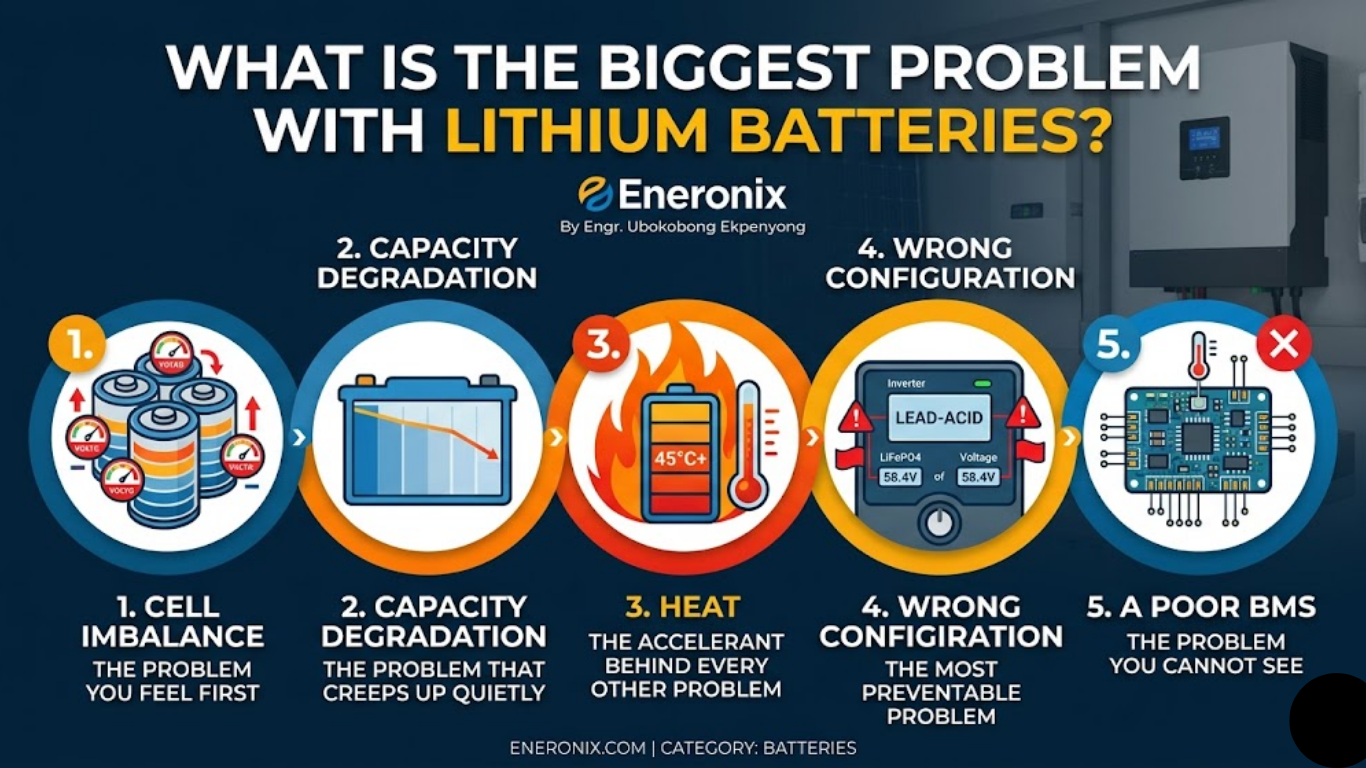
Inside every battery pack, there are multiple individual cells, small units that work together to store energy. In a healthy battery, all these cells charge and discharge at roughly the same pace. In an aging or poorly managed battery, they drift apart.
Here is where it gets tricky: the battery pack is only as strong as its weakest cell. When the weakest cell runs out of charge, the whole system shuts down, even if the other cells still have plenty left.
So you might see 40% on the display and the system cuts off. Or it shows 100% at the start, but that weakest cell drains much faster than the others, and the whole thing collapses sooner than expected.
This is called cell imbalance, and it is one of the hidden killers of battery performance that most people never think about.
What You Can Actually Do About It
Check how old your battery is. If it is more than 3 to 4 years old and the runtime has noticeably shortened, the battery has likely lost capacity. No setting or fix will restore that. It is just the reality of how batteries age.
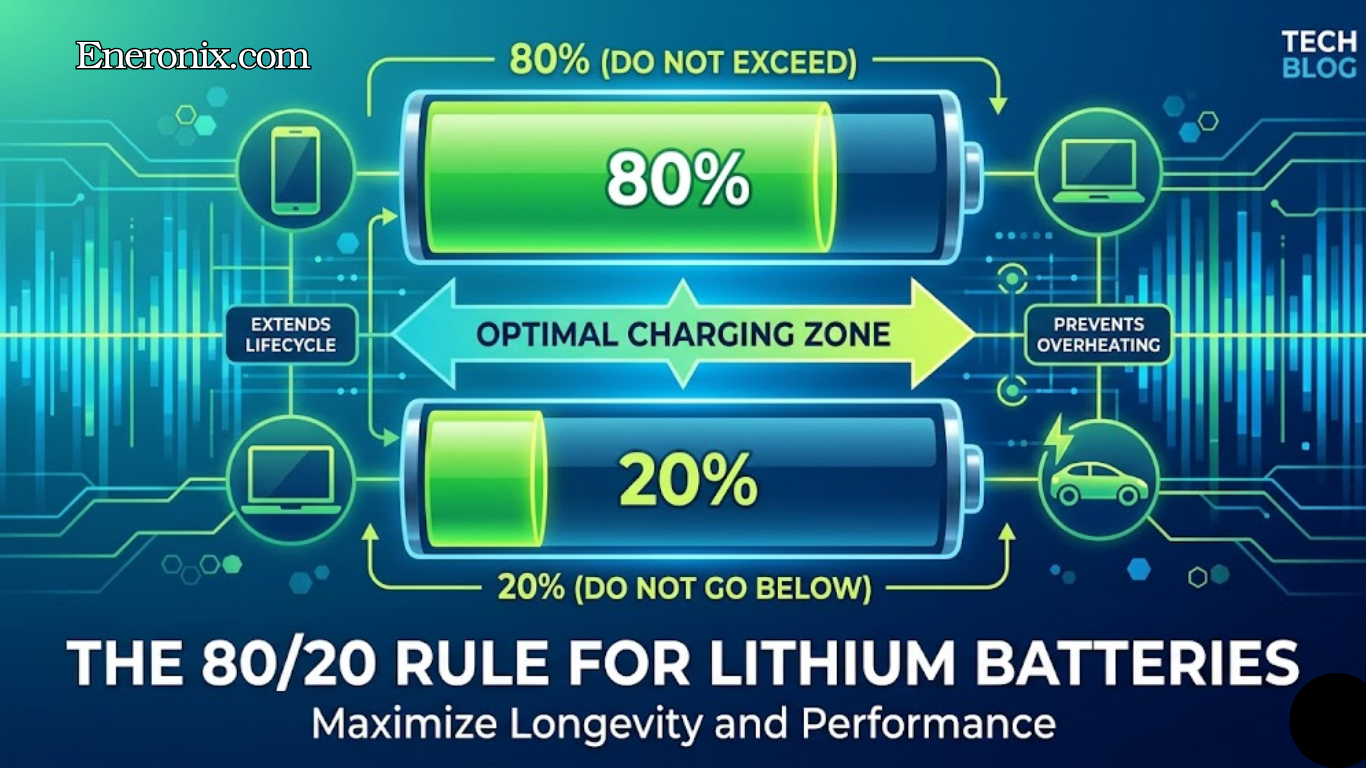
Do not charge to 100% every single time. For lithium batteries especially, consistently charging to the maximum can speed up aging. Keeping the charge between 20% and 90% in regular use extends the lifespan considerably. Many inverters let you set a charge limit.
Let the battery fully charge occasionally. While you should not charge to 100% every day, doing a full charge from time to time helps the battery’s management system recalibrate and rebalance the cells. Think of it like a reset.
Watch for the warning signs. If your battery runtime has dropped noticeably, if the system shuts off at 30% or higher, or if the percentage jumps around unexpectedly, these are all signs that something is off and worth investigating.
Get a proper battery monitor. The percentage on your inverter screen is a rough estimate. A dedicated battery monitor, sometimes called a shunt monitor, measures actual energy flow in and out, giving you a far more accurate picture of your battery’s real state.
FAQ
Why does my battery die so fast even when fully charged?
The most common reason is that the battery never actually reached full charge, the inverter display said 100% but the charging process stopped short due to fast charging, incorrect voltage settings, or a brief power cut during the charge cycle. The second most common reason is capacity loss from aging, a battery that is 2 to 4 years old may hold only 70–80% of its original energy even when showing 100%. The third reason is cell imbalance, where one weak cell triggers a full system shutdown well before the pack average reaches zero.
How do I know if my battery has lost capacity?
The clearest sign is that your runtime has shortened progressively over months without any increase in your load. If a system that used to last 8 hours now lasts 5, and your load has not changed, the battery has lost capacity. You can verify this with a dedicated battery monitor that tracks actual amp-hours delivered compare the total amp-hours discharged in a full cycle today against what it was when the battery was new. A drop of more than 20% means the battery has reached 80% of its original capacity.
Can a battery that dies fast be fixed?
It depends on the cause. If the problem is cell imbalance, performing a controlled full charge to 100% once or twice allows the BMS to balance the cells and can partially restore runtime. If the problem is genuine capacity loss from aging, no setting or software change can restore lost capacity, the battery chemistry has changed permanently. If the problem is incorrect charging voltage settings causing the battery to never reach full charge, correcting the inverter settings fixes the issue immediately.
What is a battery shunt monitor and do I need one?
A battery shunt monitor is a device that measures actual current flow in and out of your battery bank using a precision resistor (shunt). Unlike the inverter display which guesses percentage from voltage, a shunt monitor tracks every amp-hour that enters and leaves the battery, giving a far more accurate state of charge reading. In Nigeria, the Victron BMV-712 and Renogy 500A shunt monitor are the most widely available quality options. If your system is worth more than ₦500,000, a shunt monitor is a worthwhile investment that pays for itself in informed battery management.
How long should a lithium battery last before runtime noticeably drops?
A quality LiFePO4 battery managed correctly kept between 20% and 90% daily, operating below 35°C ambient, and correctly configured, should deliver 5 to 8 years of service before runtime drops noticeably below the original level. Poorly managed batteries in hot rooms with incorrect inverter settings can show significant runtime reduction in as little as 18 to 24 months. If your battery is less than 2 years old and runtime has dropped significantly, the problem is almost always incorrect settings or thermal stress rather than end-of-life capacity loss.
The Bigger Picture
The display on your inverter is a tool, not a guarantee. It gives you a rough idea of where you stand, but it cannot tell you about aging cells, imbalanced packs, or charging shortcuts that left the battery less full than it appeared.
The good news is that once you understand why this happens, you stop being surprised by it. You start managing your system with realistic expectations, and you make better decisions about when to charge, how to set your limits, and when it might be time to replace the battery.
Your power system is not broken. It is just doing something that nobody explained to you clearly enough.
If you are curious about the deeper engineering behind why this happens, how battery management systems track charge, why the numbers between your BMS and inverter sometimes disagree, and what cell balancing actually looks like under the hood, these two posts go much deeper:
I am Engr. Ubokobong Ekpenyong, a solar specialist and lithium battery systems engineer with over five years of hands-on experience designing, assembling, and commissioning off-grid solar and energy storage systems. My work focuses on lithium battery pack architecture, BMS configuration, and system reliability in off-grid and high-demand environments.
Contains information related to marketing campaigns of the user. These are shared with Google AdWords / Google Ads when the Google Ads and Google Analytics accounts are linked together.
90 days
__utma
ID used to identify users and sessions
2 years after last activity
__utmt
Used to monitor number of Google Analytics server requests
10 minutes
__utmb
Used to distinguish new sessions and visits. This cookie is set when the GA.js javascript library is loaded and there is no existing __utmb cookie. The cookie is updated every time data is sent to the Google Analytics server.
30 minutes after last activity
__utmc
Used only with old Urchin versions of Google Analytics and not with GA.js. Was used to distinguish between new sessions and visits at the end of a session.
End of session (browser)
__utmz
Contains information about the traffic source or campaign that directed user to the website. The cookie is set when the GA.js javascript is loaded and updated when data is sent to the Google Anaytics server
6 months after last activity
__utmv
Contains custom information set by the web developer via the _setCustomVar method in Google Analytics. This cookie is updated every time new data is sent to the Google Analytics server.
2 years after last activity
__utmx
Used to determine whether a user is included in an A / B or Multivariate test.
18 months
_ga
ID used to identify users
2 years
_gali
Used by Google Analytics to determine which links on a page are being clicked
30 seconds
_ga_
ID used to identify users
2 years
_gid
ID used to identify users for 24 hours after last activity
24 hours
_gat
Used to monitor number of Google Analytics server requests when using Google Tag Manager
1 minute
You can find more information in our Cookie Policy and .