
You glance at your inverter display. It says 75%. Confident, you leave it running, fans, lights, maybe the TV. Two hours later, the system shuts down without warning. The battery was never at 75%.
This is one of the most common and most frustrating experiences for anyone running a home solar or backup power setup. And the maddening part? The inverter isn’t technically broken. It’s just measuring the wrong thing, or measuring the right thing at the wrong moment.
Before you call a technician or start blaming your battery brand, read this. Because nine times out of ten, the fix starts here.
Why inverter battery percentage wrong?
The Core Problem: Inverters Don’t Actually “Read” Your Battery
Here’s the uncomfortable truth most inverter manuals gloss over: your inverter has no idea what’s actually inside your battery. It can’t see the chemical state of your cells. It doesn’t know how much charge has flowed in or out over time. What it does do is measure battery voltage, and then make an educated guess about what that voltage means in terms of percentage.
That guess is based on a lookup table baked into the firmware. The table says something like: “If voltage is 12.5V, that’s roughly 50% for a 12V lead-acid battery.” Sounds reasonable. In theory, it works. In practice, a dozen variables can make that estimate wildly inaccurate.
Understanding why it’s wrong is the first step to fixing it.
For a deeper engineering breakdown of how battery charge estimation actually fails in lithium systems, read: SOC Drift in Lithium Battery Systems (Full Analysis)
Reason 1: Voltage Sag Under Load
This is the single most common cause of false readings, and almost nobody talks about it plainly enough.
When your inverter is actively powering something, a refrigerator compressor kicking on, a microwave running, multiple lights and fans, it draws current from the battery. The moment current flows, the battery’s voltage drops. Not because it’s empty, but because of internal resistance. This is called voltage sag or voltage drop under load.
Your inverter sees that dropped voltage and thinks: “Hmm, 12.0V, that looks like 20% charge.” Meanwhile, the battery is actually at 70%. The moment the load drops, the voltage bounces back, and suddenly the display reads 65% again. This is why your battery percentage can increase when you turn something off.
What to do: Never trust your battery percentage while under heavy load. Check the reading when the system is at rest, no inverter running, no load, no charging, ideally after 30 minutes of standby. That’s your resting voltage, and it will give a much more accurate state of charge reading.
Reason 2: Your Battery Type Is Set Incorrectly
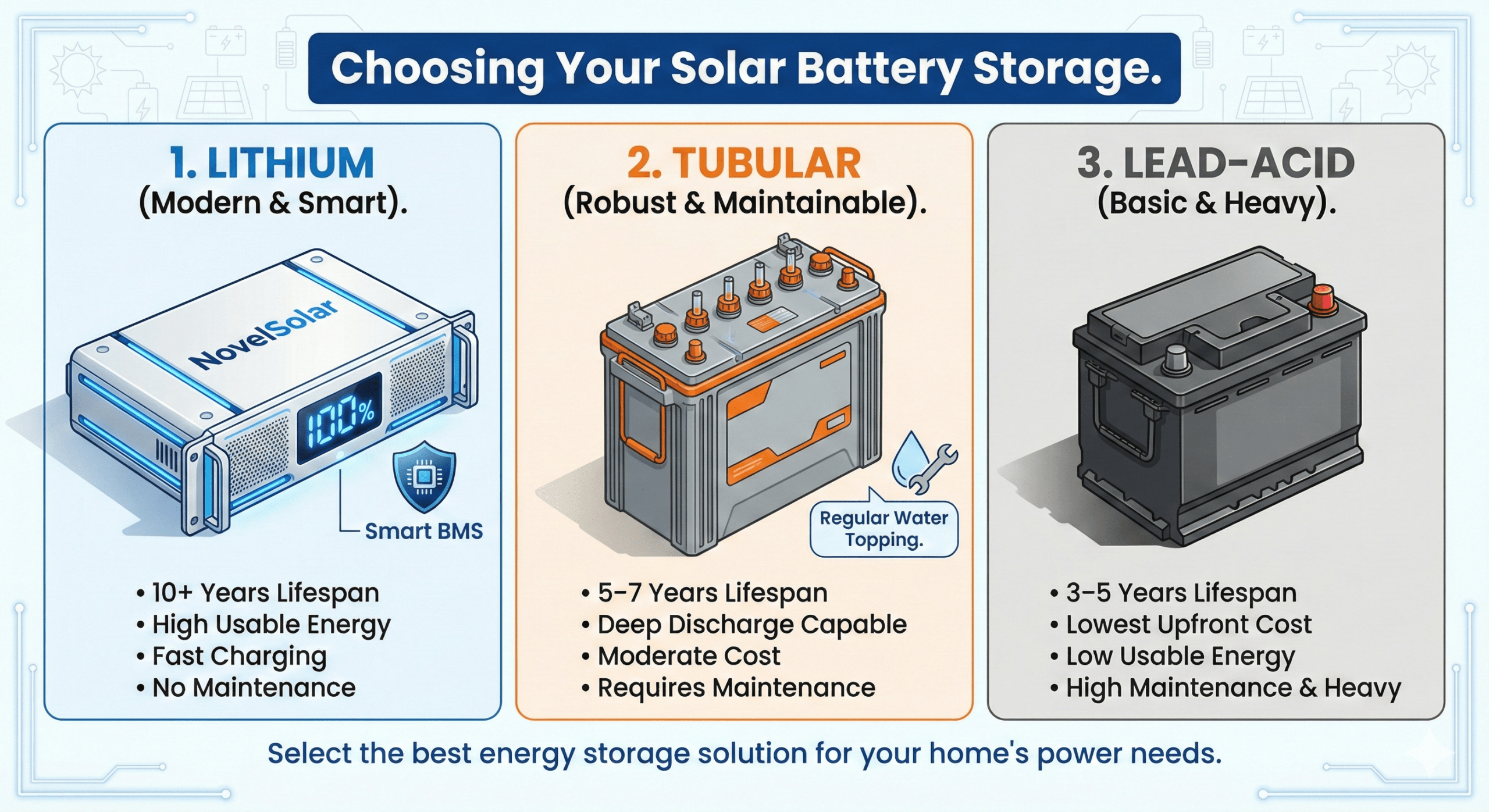
Most inverters let you select a battery type: sealed lead-acid (SLA), flooded lead-acid, gel, AGM, or lithium (LiFePO4). Each battery chemistry has a completely different voltage-to-charge curve.
A fully charged 12V LiFePO4 battery sits around 13.3–13.4V at rest. A fully charged AGM battery might be at 12.8V. If your inverter is configured for flooded lead-acid but you have a lithium battery installed, the percentage table doesn’t match, and the readings will be consistently and significantly wrong.
This setting is often overlooked during initial setup, especially when buying a new inverter or upgrading batteries without reconfiguring.
What to do: Go into your inverter’s settings menu and verify the battery type is correctly selected. If you’ve recently switched from lead-acid to lithium, this is almost certainly the problem. Some budget inverters don’t support lithium profiles at all, in which case percentage displays should be taken as rough guidance only.
Reason 3: The Battery Is Old and Degraded

A battery that’s been through hundreds of charge cycles doesn’t behave like a new one. Its internal resistance increases. Its usable capacity shrinks. But your inverter’s voltage lookup table was built for a healthy battery.
This means an old battery at 12.2V might only have 15% of usable energy left, while a new battery at 12.2V might still have 30–35%. The inverter doesn’t know your battery is three years old. It just sees voltage.
Additionally, sulfation (on lead-acid batteries) and capacity fade (on lithium) can make voltage responses erratic, the voltage drops faster under load, bounces back less predictably, and the percentage display dances around confusingly.
What to do: If your battery is more than 3–5 years old and showing signs of reduced runtime, the percentage display is likely even less reliable than usual. Consider testing your battery’s actual capacity with a discharge test or a dedicated battery tester. If it’s holding less than 70–80% of its original rated capacity, replacement is probably overdue, no inverter setting will fix a worn-out battery.
Reason 4: Temperature Is Throwing Off the Voltage
Battery chemistry is sensitive to temperature. A cold battery behaves as if it’s more depleted than it actually is. A hot battery can appear more charged than it truly is.
Lead-acid batteries are especially vulnerable to temperature swings. At 0°C, a battery’s effective capacity can drop by 20–30%. If your inverter is measuring voltage without any temperature compensation, its percentage estimate in cold weather will almost always read lower than reality, and in hot weather, higher than reality.
Some higher-end inverters include temperature compensation using a sensor attached directly to the battery bank. Budget models usually don’t.
What to do: Be aware of your battery’s environment. If your battery bank is stored in a garage or outdoor cabinet that gets very cold or very hot, factor that into how you read the percentage display. In cold conditions, expect the display to read lower than the true state of charge. Avoid deeply discharging in cold temperatures, a battery that “looks” depleted may recover once it warms up, but stressing it when cold accelerates degradation.
Reason 5: The Battery Was Never Properly Calibrated
Some inverters allow you to set voltage thresholds manually, the voltage at which 0% is declared, the voltage at which 100% is reached. These are critical numbers, and if they’re set to factory defaults that don’t match your actual battery’s specifications, every reading will be off.
For example: if your inverter’s 100% threshold is set to 14.4V but your battery is fully charged at 13.6V (common with LiFePO4), the system may never show 100%, or it will reach 100% and continue charging unnecessarily.
Conversely, if the low-voltage cutoff is set too high, the system shuts down while the battery still has usable charge left, creating the illusion of poor capacity.
What to do: Pull out your battery’s datasheet and find the recommended voltage for fully charged and minimum discharge. Then match your inverter’s charge parameters and cutoff thresholds to those numbers. This calibration step is often skipped but makes a dramatic difference in accuracy.
The Real Fix: Use a Battery Monitor

Here’s the honest bottom line: if accurate state-of-charge matters to you, stop relying solely on your inverter’s display. Install a dedicated battery monitor, sometimes called a Coulomb counter or battery shunt monitor.
Unlike an inverter, a battery monitor doesn’t estimate charge from voltage alone. It measures the actual current flowing in and out of your battery in real-time and integrates that over time to track exactly how much charge has been consumed or replenished. It’s the same principle as tracking how much water you pour into and pour out of a tank.
Popular options like the Victron BMV-712 or Renogy 500A battery monitor are relatively affordable and dramatically more accurate than any voltage-based percentage display. They attach via a shunt, a precision resistor, installed on the negative terminal of your battery.
Once you have a real battery monitor, your inverter’s percentage display becomes secondary. You’ll have a genuinely trustworthy number to plan around.
Quick Diagnostic Checklist
Before anything else, run through this list:
- Check battery type setting in your inverter menu, confirm it matches your actual battery chemistry.
- Read voltage at rest, turn off all loads and the inverter, wait 30 minutes, then check battery voltage with a multimeter. Compare to your battery’s state-of-charge chart.
- Check your voltage thresholds, make sure the 100% and low-voltage cutoff settings align with your battery’s specifications.
- Note the battery age, if it’s over 4 years old, factor degradation into your expectations.
- Consider ambient temperature, is the battery in an unusually hot or cold location?
- Install a shunt monitor, if accuracy is critical, this is the permanent solution.
Final Word
inverter battery percentage wrong isn’t just an annoyance. It leads to over-discharging, which permanently damages lead-acid batteries. It causes unexpected shutdowns at inconvenient moments. And it creates a false sense of security, or false alarm, that makes managing your power system harder than it needs to be.
The root cause is almost always one of the five issues above. Start with the simplest checks first: battery type setting, voltage thresholds, resting voltage reading. Most people find the problem within ten minutes.
And if you’re serious about power management, especially for solar setups, off-grid living, or critical backup systems, invest in a proper battery monitor. It’s one of the most impactful upgrades you can make, and it costs less than most people expect.
Fix the reading first. Everything else becomes clearer after that.
Have questions about your specific inverter or battery setup? Drop them in the comments below.

I am Engr. Ubokobong Ekpenyong, a solar specialist and lithium battery systems engineer with over five years of hands-on experience designing, assembling, and commissioning off-grid solar and energy storage systems. My work focuses on lithium battery pack architecture, BMS configuration, and system reliability in off-grid and high-demand environments.